

No. Your iPhone or Android phone cannot read a pet microchip, and there is no app, dongle or attachment that lets it. That was true when we first published this article in 2016, it was true when we last checked every “scanner app” on the market, and it is true today. Below is why, a look at the products being sold online, and what actually works when you need to know whether a pet is chipped and who it belongs to.
The short version
Pet microchips run at 125 kHz, 128 kHz or 134.2 kHz. Reading one takes a tuned antenna coil and capacitor that a phone does not have and cannot fit. Peeva commissioned a root-cause analysis on exactly this question from the University at Buffalo, authored by Dr. Albert H. Titus, Professor and Chair of Biomedical Engineering; the engineering explanation is further down. To scan a chip you need a dedicated universal microchip scanner, because not every scanner reads every brand of chip. To find out whether a chip is registered and to whom, use the free microchip lookup. And if the chip is not registered to you, register it, because an unregistered chip is just a number.

Quick answers
Can an iPhone read a pet microchip?
No. The NFC reader in an iPhone works at 13.56 MHz. Pet microchips work at 125 to 134.2 kHz, about a hundred times lower, and need a physically larger coil to be read. No iPhone model has that hardware.
Is there a dog chip reader app for Android?
No. Android phones have the same NFC limitation. The apps sold as “dog scanner” or “pet scanner” either require you to buy a separate scanner device, or do not scan anything at all. Read their reviews before you download.
Can you scan a microchip with your phone camera?
No. A microchip is a passive radio transponder the size of a grain of rice under the skin. There is nothing for a camera to see.
How do I find out if my dog or cat is microchipped without a scanner?
Ask any vet clinic, shelter or animal control officer to scan the pet; most will do it free. If you already have a chip number from paperwork, run it through the microchip lookup to see which registry holds it, or use the microchip prefix guide to identify the brand from the first three digits.
Can I track my pet with its microchip?
No. A microchip has no battery and no GPS; it only reports its ID number when a scanner is held over it. For live location you need a GPS collar, which can fall off or be removed. The microchip is the permanent ID; the registration is what brings the pet home.
Why a phone will never read a pet microchip
Microchip scanners are separate units. They are not part of your phone, and they cannot be shrunk into one. As documented in the report prepared for Peeva by Dr. Albert H. Titus, Professor and Chair of the Department of Biomedical Engineering at the University at Buffalo, the reasons come down to size, power, sensitivity and orientation.

The coil and capacitor are designed (sized) to be sensitive to a particular radio frequency for the application. Then the RF signal must match the tuned frequency of the internal antenna coil, capacitor and chip, otherwise RF signals will not produce a response or an output. In theory the RF source frequency must match the RFID required frequency exactly, although in practice it is not necessary. The unregulated 120 to 150kHz frequency band is designated as the band for animal ID, so all pet RFID tags operate within this frequency range.
Dr. Albert H. Titus, University at Buffalo
Frequency and range
The frequencies used in the United States are 125 kHz, 128 kHz and 134.2 kHz. It is possible to build a signal generator that produces and receives a broad spectrum of signals so one device works with more than one tag type, but the practical approach is a tunable reader that steps through channels until the tag responds. That is what a universal scanner does.
Most pet identification RFID systems use near-field communication through inductive or capacitive coupling. When the tag is close enough to the reader, the time-varying RF signal generated by the reader is picked up and rectified inside the tag and used to power it. To send data back, the tag changes its load, and the reader detects that change through the mutual coupling.
The antenna coil and capacitor needed to do that inside a cell phone would require an entirely new phone design, both to make room for the components and to satisfy FCC requirements, since they radiate energy. It would be far too large and clunky. Think Zack Morris, or Michael Douglas on the beach in the first Wall Street movie.

Nobody is carrying that around, and Apple, Samsung and the rest are not going to build it.
The “scanner apps” and gadgets being sold online
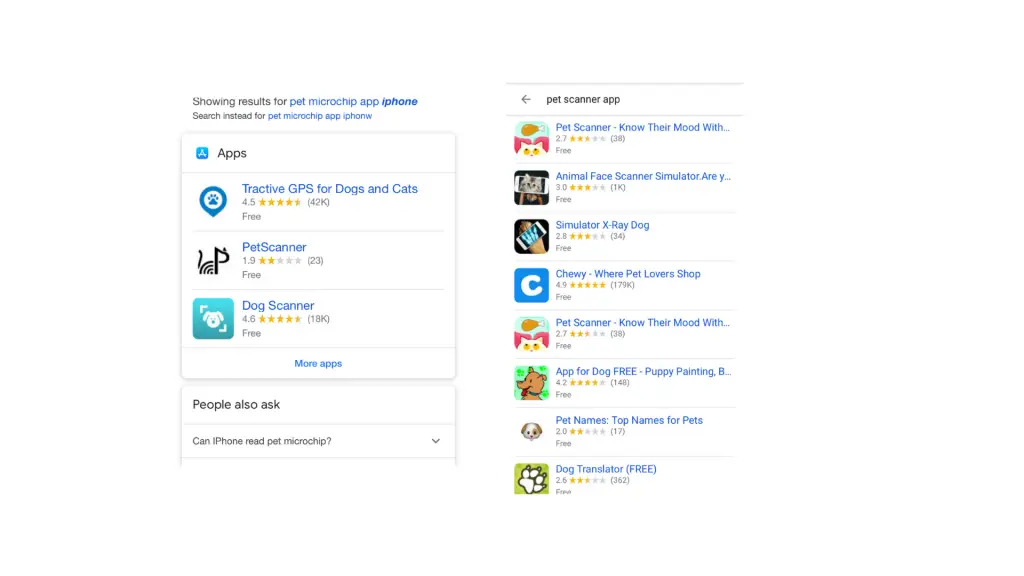
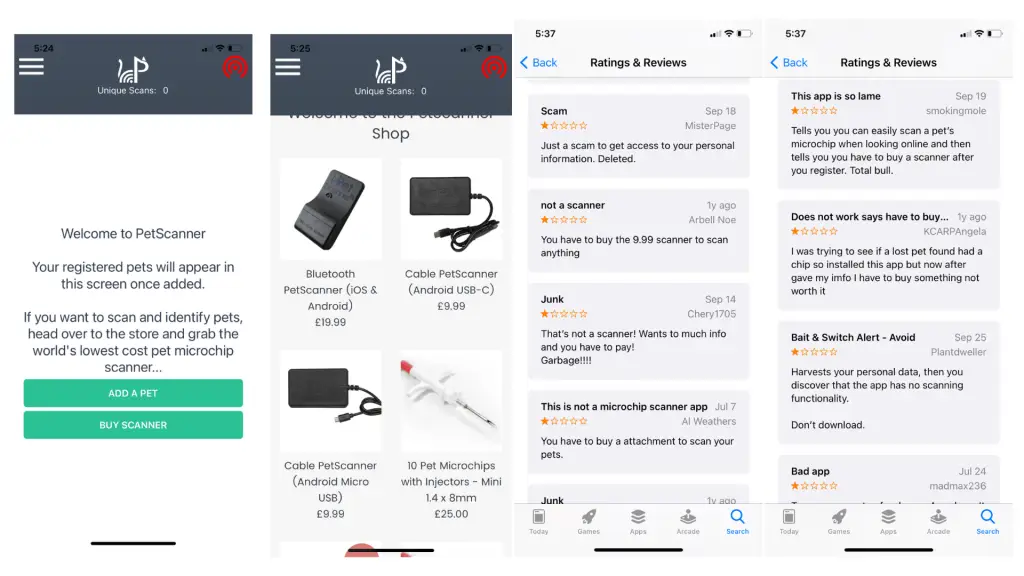
Search the app stores for “pet microchip scanner” and you will find plenty of results. None of them read a microchip with the phone alone. Here is what we found when we tried them.
The YouTube headphone-jack “antenna”
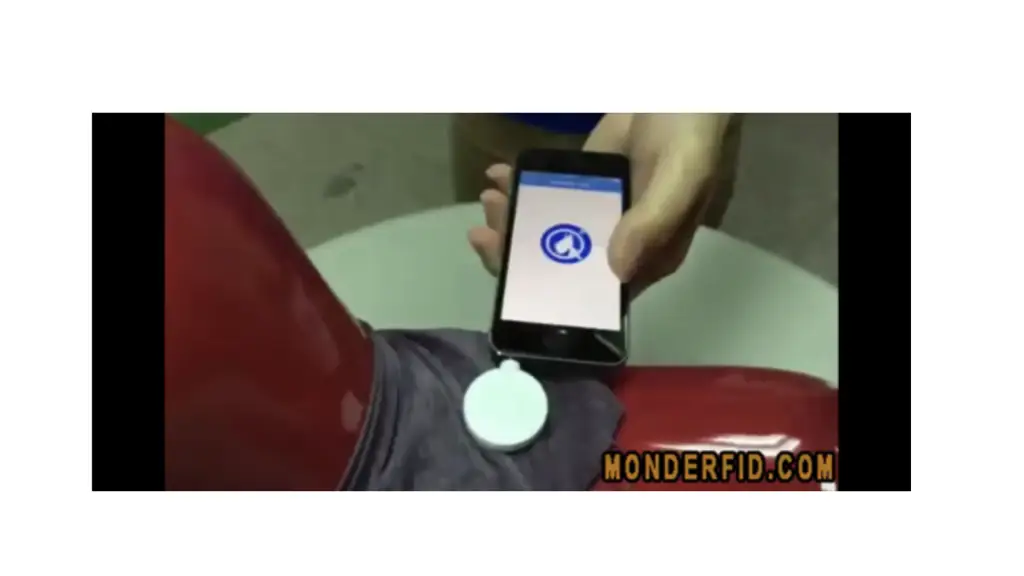
There are smoke-and-mirrors YouTube videos showing a small attachment plugged into a headphone jack. The attachment is not an antenna of any kind; it looks like a piece that fell off a toy. It is also far too small to work at 134 kHz. Read the comments: nobody can find where to buy it. Anyone who had fronted the capital to manufacture circuitry and components in volume would at least have an online store.
“Smart tag” style external readers
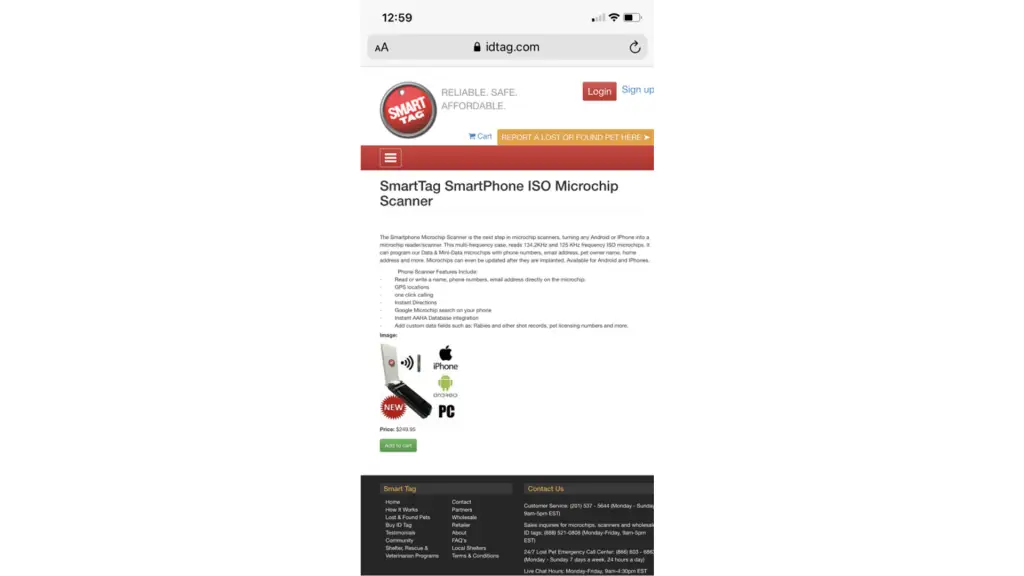
These are real external scanners that connect to a phone, which means they are not an app at all; they are a scanner with an app attached. They also tend to cost more than the universal scanners sold by HomeAgain, Datamars or Peeva, which read every chip brand and do not need a phone.
The “Dog Scanner” and “PetScanner” apps
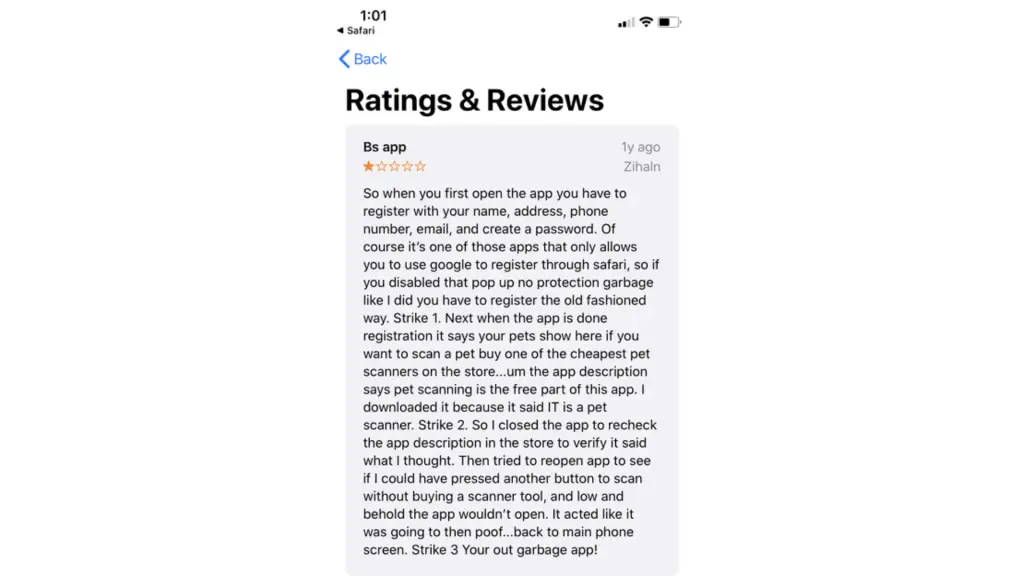
The one we hoped would be different was the dog scanner app. It was not. After registering with your name, address, phone and email, the app tells you to buy a scanner. The reviews say the rest.
What a phone can do: connect to a real scanner
A phone cannot become a chip reader, but some dedicated scanners can send what they read to a phone or computer over Bluetooth or USB. If that is what you are after, you need a properly implanted microchip, a scanner that is compatible with your phone’s operating system, and the scanner maker’s app.
- Confirm the pet is chipped. If you were not the one who had the chip implanted, have a vet or shelter scan first.
- Install the scanner maker’s app and pair it with the scanner.
- Scan. Hold the scanner over the pet’s shoulders and sweep slowly; chips can migrate.
- Store or export the number, then look it up to find the registry.
Is there an app to track your pet’s microchip?
No. Microchips are not tracking devices. They do not transmit a location; they contain an ID number that is read only when a compatible scanner is held over them.
If you want live location, GPS collars and their apps offer it, with safe zones, alerts, location history and shared access for family or pet sitters. They are useful, but they are not failsafe: collars fall off and can be removed. The microchip is the identification that cannot be lost; the registration behind it is what gets your pet back.
Your pet’s microchip has no purpose unless it is registered in a database that is actively searched
Every question about scanning a chip with a phone is really the question underneath it: how do I find out who this pet belongs to, or how do I make sure someone can find me? The answer is not an app. It is a chip that is registered to you, in a registry that answers the phone.
Is your pet’s microchip registered to you?
A microchip only works if the number leads back to you. Chips implanted at a shelter, a breeder or a vet are frequently registered to them — or never registered at all — and owners rarely find out until the day it matters.
- Look up your pet’s microchip number
- What a microchip does, and what it cannot do
- Transfer a microchip into your name
- Where microchips are placed, and how they work
Register your pet’s microchip with Peeva
Microchip resources
Find the registry by microchip prefix · Look up a microchip number · Universal microchip scanners · Register your pet’s microchip
